


Crossword Jam
4.6106.18K Reviews
App Specs
- Version
- 1.776.0
- Updated On
- License
- Free
- Downloads
- 10,000,000+
- Developer
- PlaySimple Games
- Categories
- Word
- Platform
- Android, iOS
Screenshots
 Analysis by AppCompare
If you're anything like me, you love a good puzzle game that challenges your brain while providing a relaxing escape. I recently stumbled upon Crossword Jam, and let me tell you, it’s been a delightful addition to my daily routine. Whether you're a wordsmith or just looking for some fun, this game has something for everyone.
Why the First Few Sessions Click
The appeal is easy to understand within a short session: Crossword Jam asks you to swipe through a set of letters and find words that fit a crossword layout. That small loop is quick to learn, and it gives each solved word a clear payoff. I can open it while waiting for a drink, take a few minutes to work through a puzzle, and put my phone away without needing to remember a complicated control scheme.
That simplicity makes it a friendly choice for people who enjoy word games but do not want to begin with a blank grid and a list of clues. Instead of recalling obscure definitions, I look at the available letters, test combinations, and use the crossing spaces to check whether my guesses fit. It is a useful distinction: the challenge is often about spotting a word from a limited set of letters, rather than solving a traditional newspaper crossword.
For a realistic everyday routine, I would use it as a short break between tasks or during a commute when I am seated and have a few spare minutes. It does not demand a long uninterrupted session, so a player can make progress in brief visits. I would not rely on it as a hands-free distraction while walking or doing anything that needs attention; the swipe-and-check rhythm still asks me to look at the screen.
The early levels are approachable, which helps the game feel welcoming rather than intimidating. That first-week ease is a strength for casual players, though it can also set the wrong expectation: the basic interaction stays familiar even as the puzzles ask for more thought. If you are hoping for a tutorial that gradually teaches a broad range of crossword-solving techniques, this is a different kind of word puzzle.
Getting Started with Crossword Jam
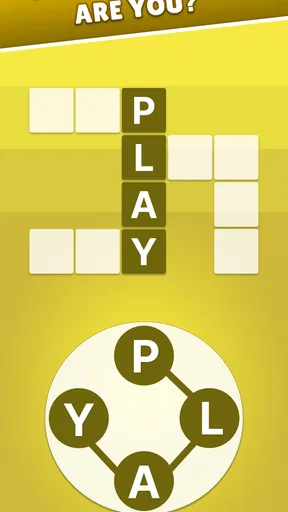
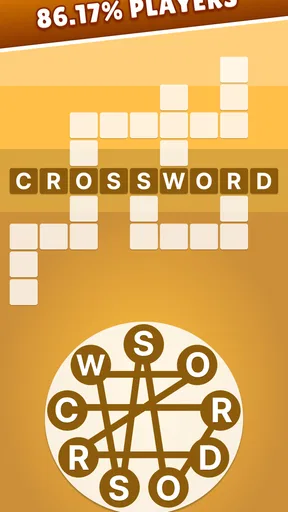
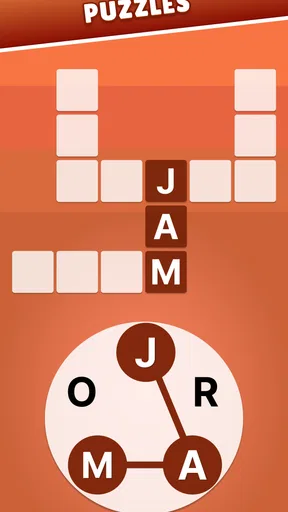
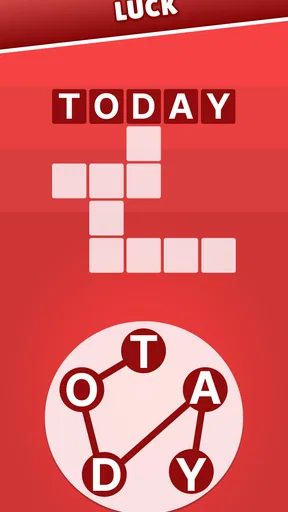
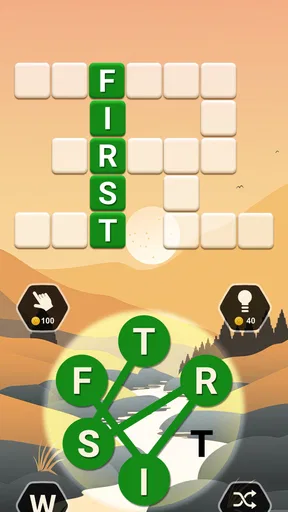
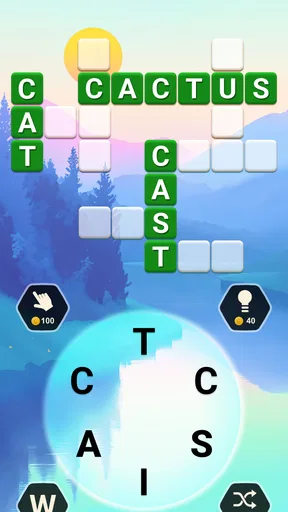
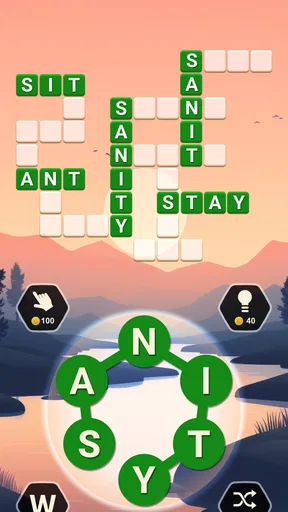
So, what’s the deal with Crossword Jam? Well, it’s essentially a word puzzle game where you swipe letters to form words. The interface is clean and intuitive, making it easy for anyone to pick up and play. When I first opened the app, I was greeted with a soothing color palette that instantly put me at ease. No flashy distractions here — just a straightforward, user-friendly design.
Starting out, the game gives you a brief tutorial. You’re handed a set of letters, and your job is to connect them in the right order to fill in the crossword. It’s pretty satisfying to see the words light up as you swipe your finger across the screen. I found myself nodding in approval, thinking, “Okay, this is going to be fun!”
Worth Reading Before You Choose

Switching to Android Auto Means Rethinking Your Driving Routine

Google Calendar Makes a Crowded Week Easier to Manage

Baby Panda World Brings Quick Play to Modern Phones, but Its Game Library Feels Busy

ESPN’s Live Game View Makes Following Close Games Easier

QuizzLand Review: A Good Fit for Short Trivia Breaks, Not Every Player

Basketball Stars: Multiplayer Is Fast, but Can It Recover When Matches Go Wrong?
The Gameplay Experience
One of the things I love about Crossword Jam is its gradual difficulty curve. At first, the puzzles are pretty simple, which is great for easing you into the game. But don’t be fooled — as you progress, the levels become more challenging. I found myself pausing and really having to think, which is exactly what you want from a puzzle game, right?
The game also offers daily challenges, which are perfect for keeping the experience fresh. Each day, there’s a new set of puzzles to solve, and completing them earns you coins. These coins can be used to purchase hints if you ever find yourself stuck. Trust me, I've had to dip into my coin stash a few times when the brain fog hits.
Making Progress Without Turning It into a Chore
For me, the most useful way to play is to treat a hint as a last nudge, not the first response to a tough board. I scan the letter group for familiar beginnings and endings, then try short words that can reveal useful crossing letters. If I still cannot see the answer, stepping away for a minute often helps more than repeatedly swiping the same combinations. That habit keeps the puzzle enjoyable and makes hints feel more like a safety net than a routine shortcut.
Coins and hints also change how I approach a difficult stretch. Spending a hint can keep a session moving, but leaning on them whenever I hesitate can make the solving feel less satisfying. I prefer to save help for a board where I have genuinely run out of ideas, especially if I am playing for a quick mental reset rather than trying to finish as fast as possible.
Compared with a standard crossword app, Crossword Jam feels more guided: the letters are supplied, and the board gives visible feedback as words fall into place. That makes it easier to pick up casually, but it offers less of the clue-reading and general-knowledge variety that crossword fans may want. Compared with a simple word-search game, it asks for more active word formation and deduction; the trade-off is that someone who wants to relax by spotting words already printed in a grid may find the swiping loop less restful.
Visuals and Soundtrack
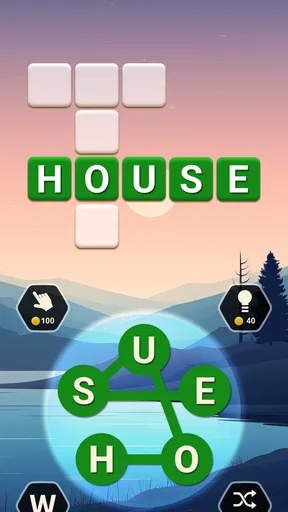
Let’s talk about aesthetics for a moment. The visuals in Crossword Jam are nothing short of delightful. The backgrounds are beautifully designed with calming landscapes that change as you move through different levels. It’s like a mini-vacation for your eyes!
And the soundtrack? It’s just as soothing. The gentle music playing in the background helps maintain focus without being intrusive. It’s the kind of soundtrack that makes you feel like you’re in a cozy library, surrounded by books and comfy chairs. Who wouldn’t want that vibe while solving puzzles?
What Holds Up Over Time
The landscapes and relaxed presentation help the game feel pleasant during repeated visits, but a calm look alone cannot keep a word puzzle fresh forever. Its longer-term value depends on whether I still enjoy the central task: turning a small group of letters into words and fitting those answers into the board. Daily challenges provide a reason to return, yet players who need every session to introduce a noticeably different mechanic may eventually feel the routine.
One way I keep the experience from becoming automatic is to vary my pace. Sometimes I play a few boards quickly; other times I slow down and try to solve without immediately using a hint. That makes the same basic format feel more thoughtful without turning it into a self-imposed contest. If I am tired, though, I stop rather than grinding through a puzzle just to maintain a habit. A relaxing game should not make a small daily break feel like another obligation.
There is also a practical choice about sound. The gentle music can suit a quiet break, but I would mute or lower it when playing somewhere I need to stay discreet or when I prefer silence. The visual setting does much of the work in creating the mood, so I do not need the soundtrack on every time. That small adjustment helps the game fit more situations without changing how its puzzles work.
Who Should Keep It Installed?
I would recommend it to someone who wants bite-sized word puzzles, likes seeing letters rearranged into answers, and appreciates a gentle presentation. It can work well for a casual player who is not looking for a serious crossword test, or for a word-game fan who wants a lighter option alongside clue-based puzzles. The 4.6 average from around 426,000 ratings suggests that many players have found the format appealing, and it has passed 10 million installs.
I would be less inclined to recommend it to someone who wants to write their own words into an open grid, solve cryptic clues, or face a wide variety of puzzle mechanics. Players who dislike repeating a familiar core interaction may also prefer a collection of different mini-games. Crossword Jam’s strength is focus, but that same focus is its main limitation: the experience is built around one recognizable style of letter-and-crossword play.
It is free to start, and optional in-app purchases range from $0.99 to $99.99 per item. I would decide in advance whether I am comfortable using hints sparingly or paying for extra help, rather than treating a difficult puzzle as a reason to spend. The game is rated Everyone, and the current version is 1.702.2; it requires iOS or Android version 8.0 or later. PlaySimple Games is the developer, and the game was released on September 7, 2017. Those details make it easy to judge basic compatibility, but the more important question for me is whether its particular puzzle loop suits the way I like to relax.
Community and Social Features
Another aspect I appreciate is the community feel within the app. You can connect with friends to compete in word challenges or simply share your progress. There’s something motivating about knowing that your buddy just beat your high score — it adds a layer of friendly competition that keeps you coming back for more.
Plus, the developers frequently update the app with new features and levels, so it never feels stale. It’s clear they’ve built a strong community around the game, and they’re committed to keeping it engaging and fun.
Final Thoughts
In conclusion, Crossword Jam is a fantastic app for anyone who loves word games or is simply looking for a new way to unwind. It strikes the perfect balance between challenging and relaxing, with a beautiful design and an intuitive interface. Whether you’re a crossword aficionado or a casual gamer, this app is sure to provide hours of entertainment.
So, why not give it a try? Head over to your app store, download Crossword Jam, and start swiping your way to word mastery. Who knows, you might just discover a new favorite pastime!
Pros
- Engaging puzzles for all skill levels.
- Daily challenges keep gameplay fresh.
- Smooth user interface and design.
- Offline mode for on-the-go play.
- No intrusive ads to disrupt puzzles.
Cons
- Limited hints can be frustrating.
- Some puzzles feel repetitive.
- Requires internet for daily updates.
- Occasional lag on older devices.
- No real-time multiplayer mode.
FAQs for Crossword Jam
What is the main objective of Crossword Jam?
Crossword Jam is a word puzzle game where the main objective is to connect letters to form words that fit within the given crossword layout. Players swipe letters in any direction to create words and solve the puzzle, enhancing vocabulary and cognitive skills while providing an entertaining experience.
Is Crossword Jam suitable for all age groups?
Yes, Crossword Jam is designed to be suitable for a wide range of age groups. It offers varying levels of difficulty, making it accessible to children, teens, and adults. The game is also educational, helping users improve their language skills and expand their vocabulary in a fun and engaging way.
Does Crossword Jam require an internet connection to play?
Crossword Jam can be played both online and offline. While an internet connection is required for initial download and updates, the game offers offline play, allowing users to enjoy puzzles without a constant internet connection, which is ideal for travel or areas with limited connectivity.
Are there any in-app purchases in Crossword Jam?
Yes, Crossword Jam includes in-app purchases. These purchases typically offer additional features such as hints or power-ups to assist with solving puzzles more easily. While the game is free to download and play, purchasing these extras can enhance the gaming experience for those interested in faster progression.
How often are new levels added to Crossword Jam?
The developers of Crossword Jam regularly update the game with new levels and puzzles. This ensures that players always have fresh content to explore, keeping the game engaging and challenging. Updates may also include new features or improvements based on user feedback to enhance the overall experience.


